
See authorship evidence, not a probability score.
PowerWriter tracks AI-generated, copied, and original words as students draft, making patterns visible without relying only on after-the-fact detection.

PowerWriter gives students a transparent place to draft with AI and gives instructors direct evidence of original, copied, and AI-assisted work.
Visit PowerWriter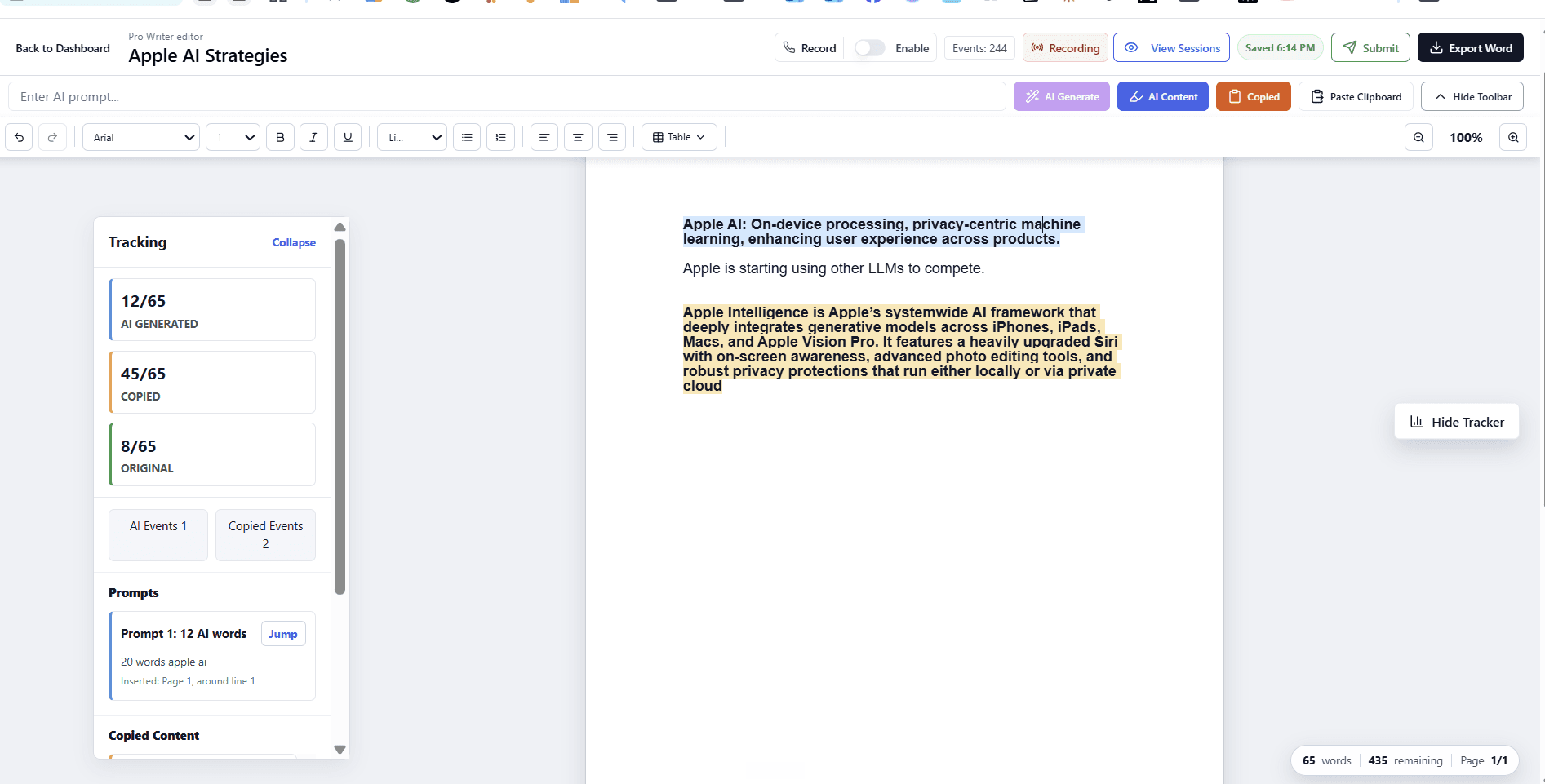
PowerWriter helps instructors ask how the student used AI, what work the student contributed, and what the student learned, using evidence recorded during the writing process.
PowerWriter tracks AI-generated, copied, and original words as students draft, making patterns visible without relying only on after-the-fact detection.
Writing-session playback shows how a document developed. Instructors can start with the summary and look more closely when a submission needs context.
Students who did their own work have direct evidence of drafting and revision, while instructors have better context before raising an integrity concern.
Professional exports include a clean paper, an authorship summary, prompt information, and a highlighted evidence copy for review.
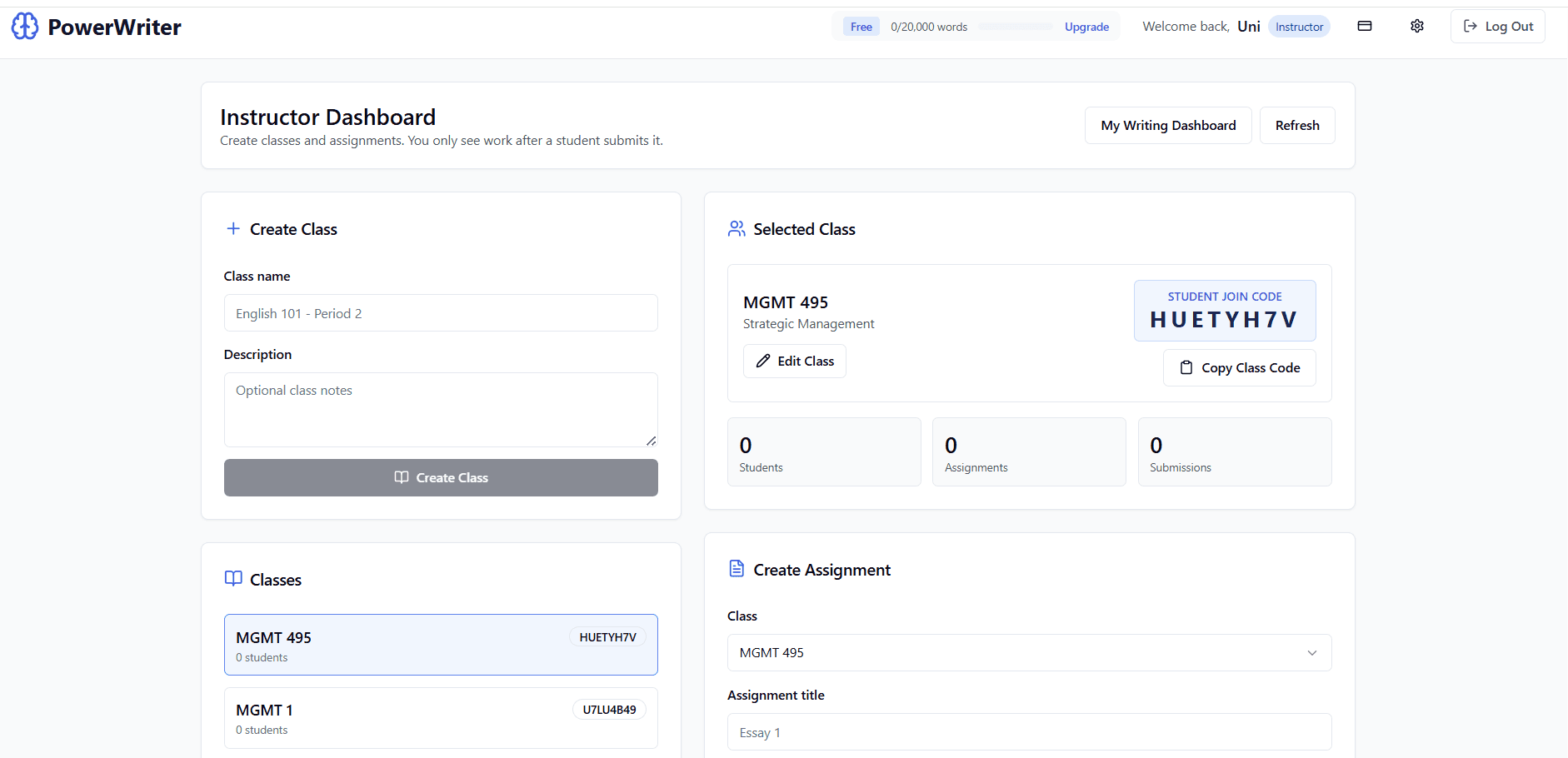
Instructors create classes and assignments, students submit intentionally, and the instructor sees work tied to the correct class instead of every draft in a student's account.